Windows Mail Setup
Recommended mail server settings (easiest setup)
- Incoming mail server (IMAP):
mail.yourdomain.com, port 993 (SSL) or 143 (STARTTLS) - Outgoing mail server (SMTP):
smtp.yourdomain.com, port 587 (STARTTLS) - Username: your full email address · Password: your email password
Replace yourdomain.com with your actual domain name. Using mail. and smtp. works for every account and is the easiest way to set up. IMAP is recommended so your email stays in sync across all your devices. (POP incoming uses mail.yourdomain.com on port 995/SSL.)
View video example below:
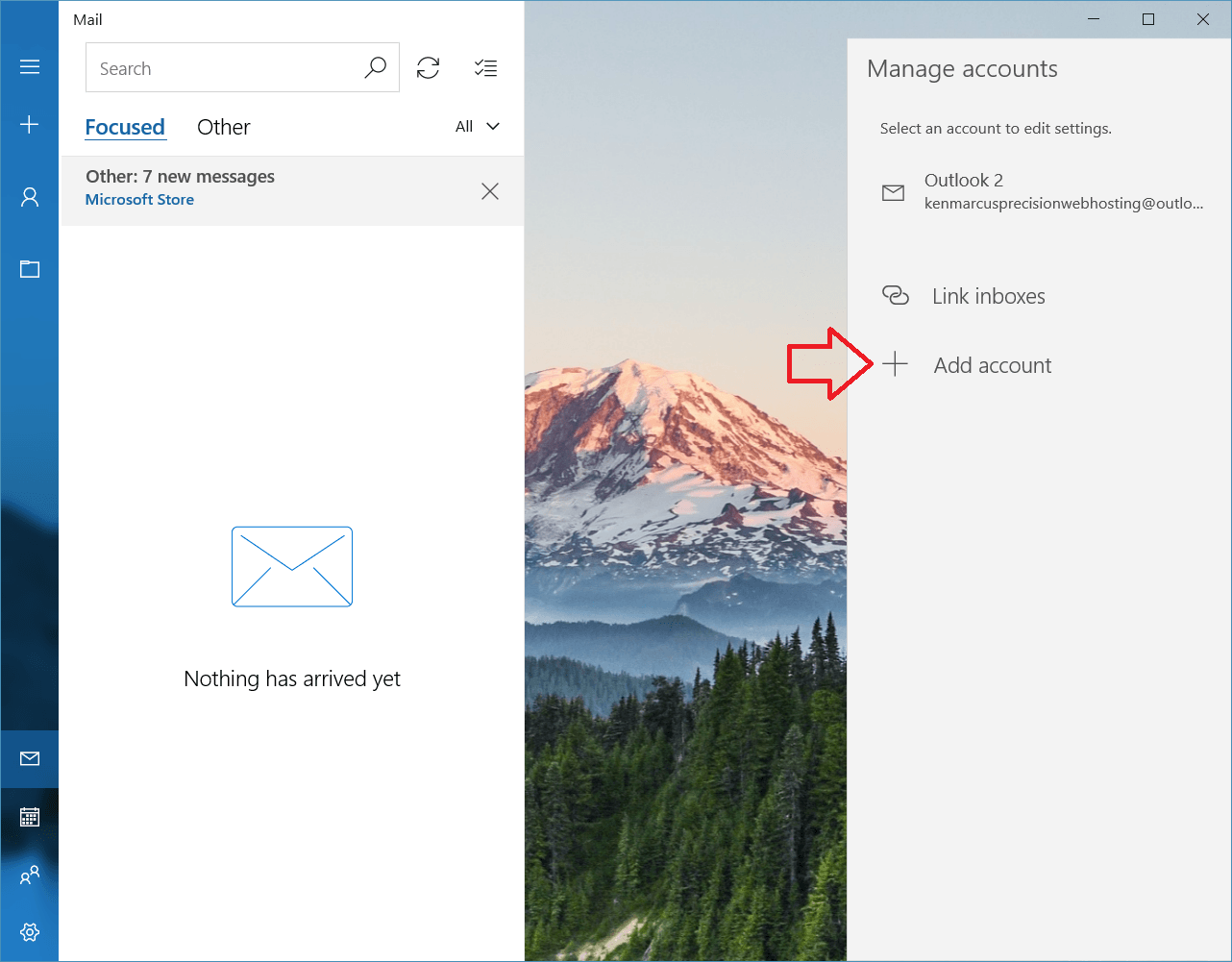
Open Windows Mail, and go to the Accounts screen, from there select Add Account
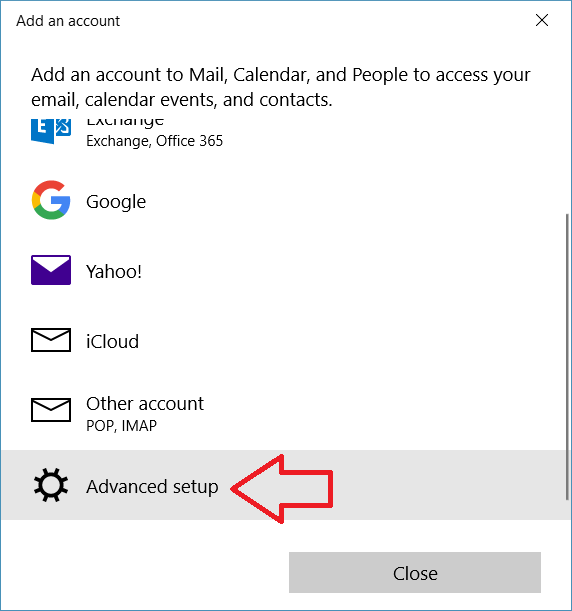
On the next screen, select Advanced set-up for the account type
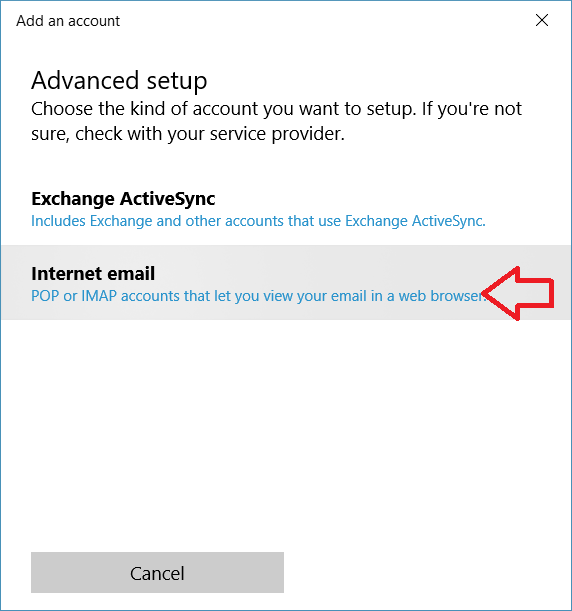
On the advanced set-up screen below, select Internet email.
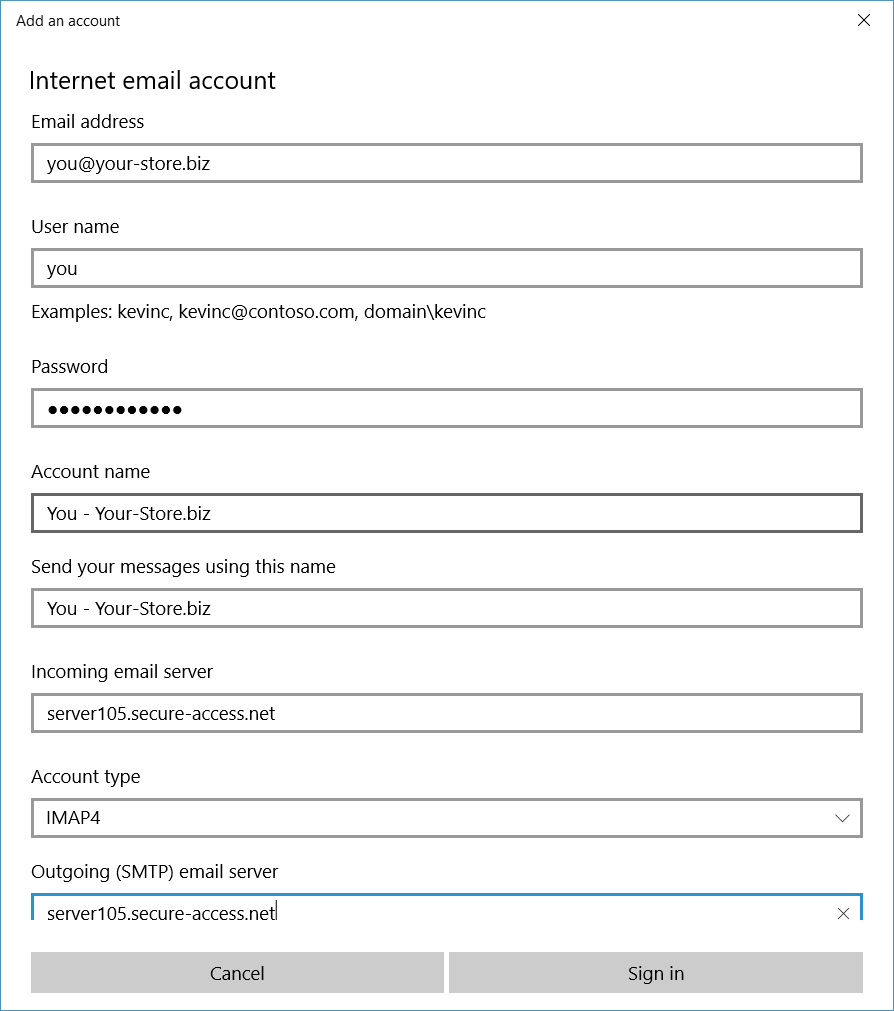
On the Add account screen below, enter in the details for your account. You will need scroll down to see all the fields.
- Email address: Your full email address, including the domain.
- Username: just the username not the complete email address.
- Password: your Windows Mail password. You can test this at the /webmail url of your site.
- Account name: How Windows Mail will refer to this account. No one else sees this.
- Send your messages using this name: This is the 'from' field shown for emails you will send.
- Incoming email server: set it to the server name for compatibility with the SSL certificate. You can see the server name by going to, for example, www.your-store.biz/admin
- Account type: set to
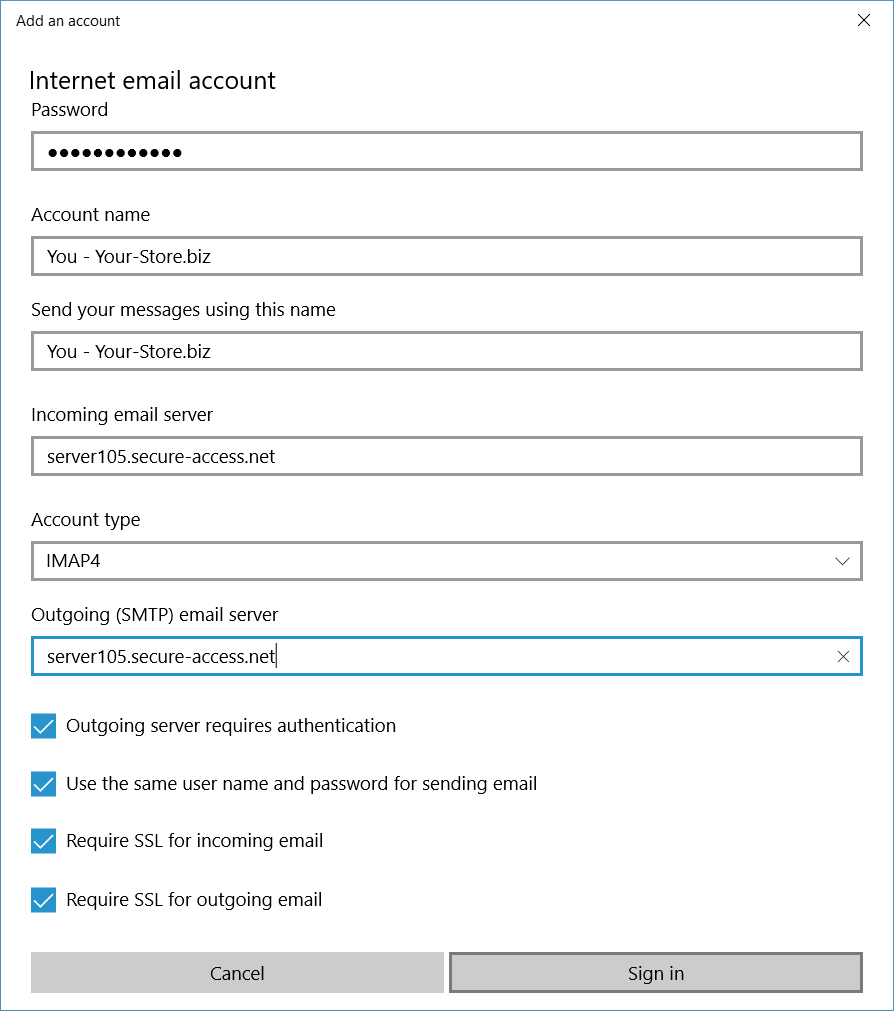
IMAP4 - Outgoing SMTP server: set it to the server name for compatibility with the SSL certificate. You can see the server name by going to, for example, www.your-store.biz/admin
- Outgoing server requires authentication: enable.
- Use the same username and password for sending email: enable
- Require SSL for incoming email: enable
- Require SSL for outgoing email: enable
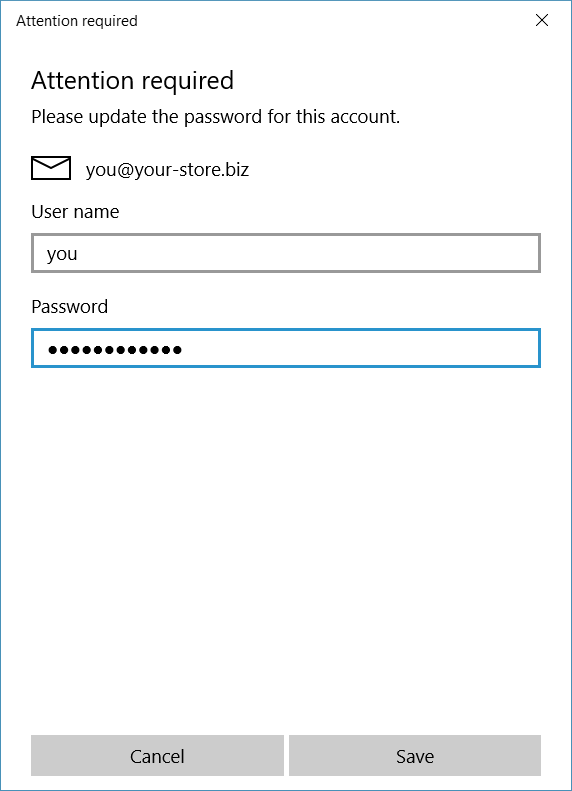
If it prompts you for the password, enter it as below
If it prompts you for the password, enter it as below.