
Start with the basics, then build one useful product page. This guide helps you find your way around the Control Panel without trying every setting at once. The pictures use Cart7 Demo Shop; your shop will have its own name and information.
Find your Control Panel
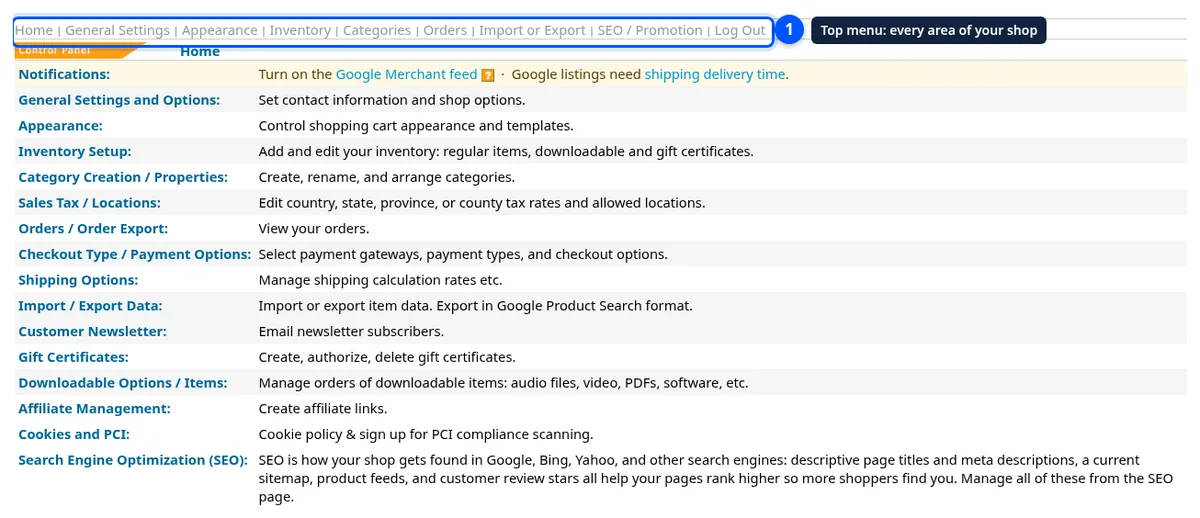
The top menu keeps common shop tasks within reach. Learn those labels first so you can return to the right place when you need a change.
- Open your shop’s /shop/owner/ address and log in with your owner login.
- Start at Home. Look at the Notifications row and the list of sections.
- Find General Settings, Appearance, Inventory, and Categories in the top menu.
- Find Orders, Import or Export, and SEO / Promotion. Use Log Out when you finish.

Check shop details
Accurate contact information gives shoppers a clear way to reach your business. Check the details before spending time on colors or page layout.
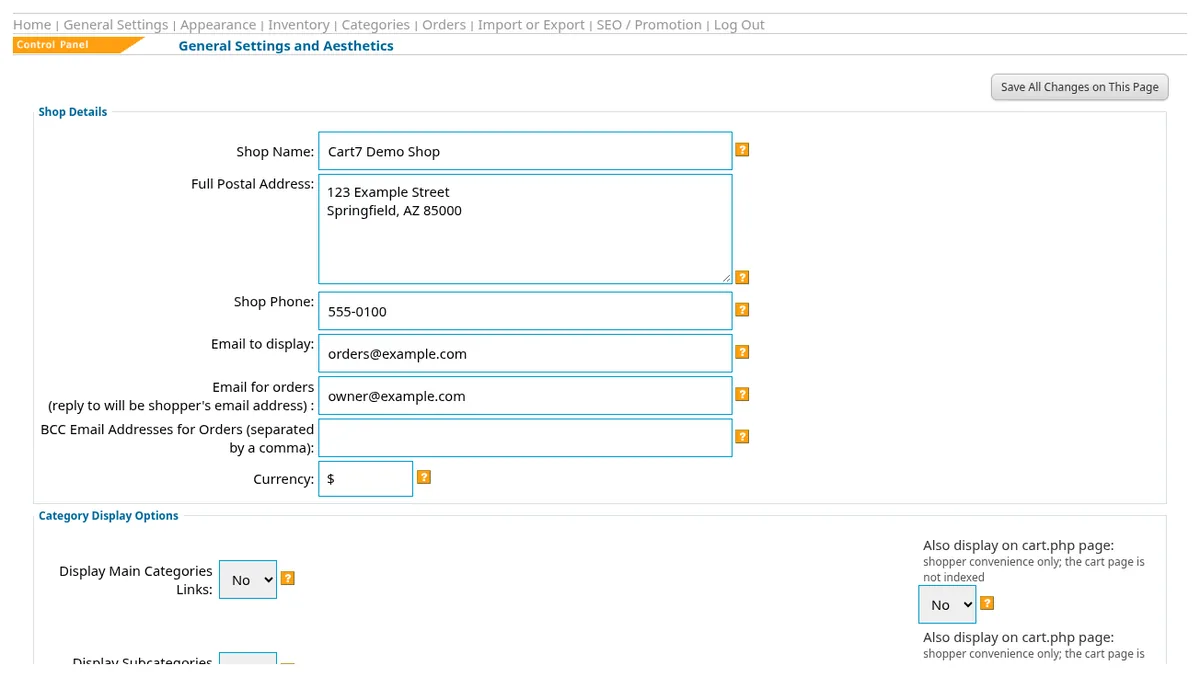
- Choose General Settings. Under Shop Details, check Shop Name, Full Postal Address, and Shop Phone.
- Check Email to display and Email for orders. Use the addresses your business wants for those purposes.
- Review the nearby display options. Make a note of anything you want to revisit rather than changing everything together.
- Use Save All Changes on This Page. Reopen the page and check the details you changed.
Choose your next task
A small first pass makes it easier to spot missing information. Use one real product as your example, then repeat the same checks for the rest of your range.
- Return to Home and choose Inventory Setup when you are ready to add a product.
- Use Category Creation / Properties to organize the products shoppers will browse.
- Find Checkout Type / Payment Options and Shipping Options on Home. Read their guides before changing how customers pay or receive orders.
Continue with products, photos, and options. After that, review stock control and shipping. Keep a short list of what you changed and what you still need to check. That makes your next visit easier and gives you a useful starting point if you ask for help.
Questions about your shop? Contact us for help with your next step.